
HTTP Client
Test your endpoints directly in the web interface.
What is the HTTP Client?
The integrated HTTP Client allows you to test your mock endpoints without leaving the Mockario interface. It's like an integrated Postman/Insomnia.
How to Use
- How to Use
- Select the HTTP method (GET, POST, PUT, DELETE)
- Enter the endpoint URL
- Add headers if needed
- Add body for POST/PUT/PATCH
- Click “Send”
- View the response
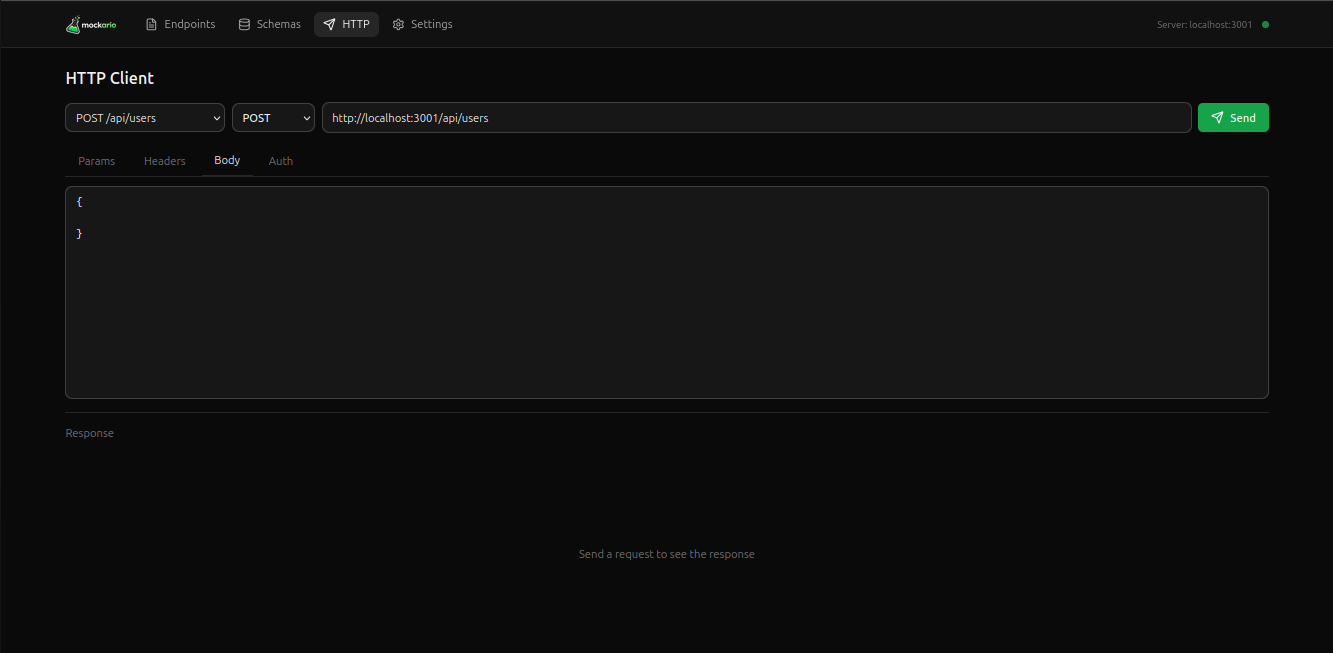
Select Endpoint
You can select an endpoint from the list to automatically fill URL, method, and headers:
- Click the endpoint selector
- Choose the desired endpoint
- The fields will be filled automatically
Authentication
The HTTP Client supports the following authentication types:
- Bearer Token - For JWT
- Basic Auth - Username and password
- API Key - API key in header
History
Your requests are saved in history so you can revisit and run them again.
Tip
Use history to quickly repeat requests during development.