
Endpoints
Learn how to create and manage mock endpoints.
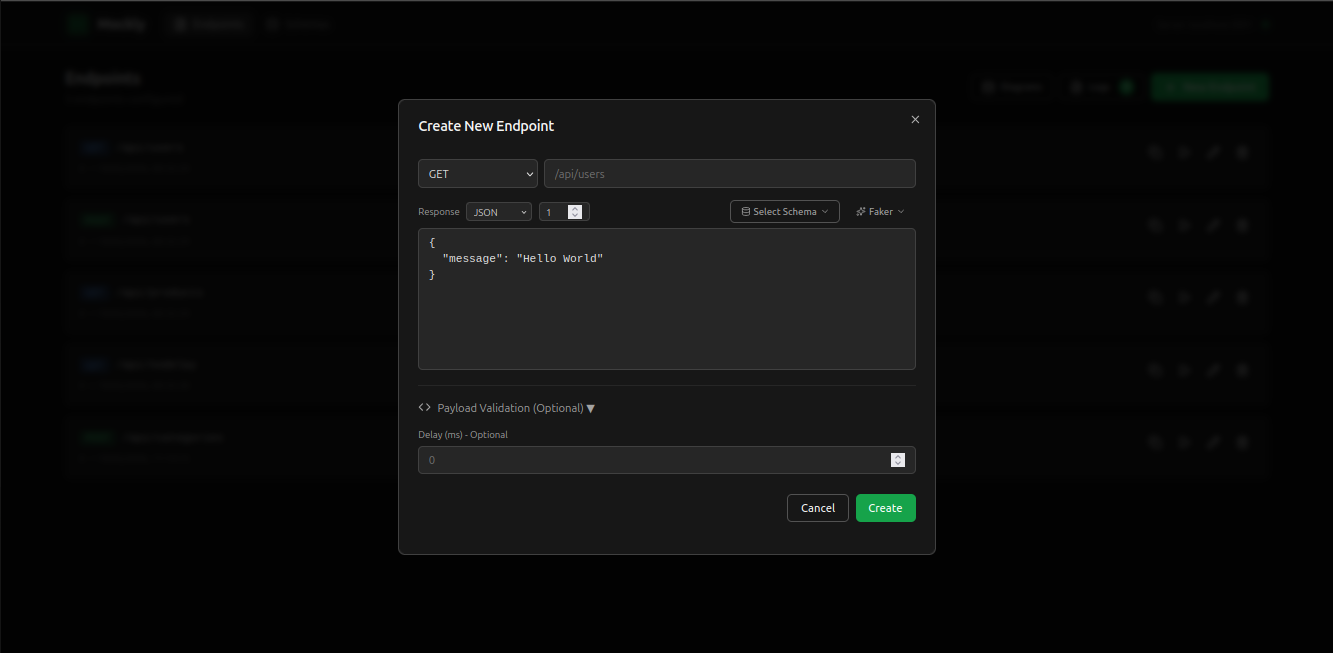
Create an Endpoint
You can create endpoints via the web interface or API.
Via Web Interface
- You can create endpoints via the web interface or API.
- Click the “New Endpoint” button
- Define the path, method and response
- Save the endpoint
Via API
JSON
POST /api/mock/endpoints
{
  "path": "/api/users",
  "method": "GET",
  "response": { "users": [] },
  "statusCode": 200
}
Supported Methods
- GET - Retrieve data
- POST - Create data
- PUT - Update data
- DELETE - Remove data
- PATCH - Partial update
Delay
You can add a delay to simulate network latency:
JSON
{
  "path": "/api/users",
  "method": "GET",
  "delay": 1000,
  "response": { "users": [] }
}
Tip
The delay is in milliseconds. Use 1000 for 1 second of latency.
Dynamic Data with Faker Templates
You can use Faker templates in your responses to generate realistic dynamic data. See the Faker Templates documentation for all available options.
JSON
{
  "path": "/api/users",
  "method": "GET",
  "response": {
    "id": "{{faker.string.uuid}}",
    "name": "{{faker.person.fullName}}",
    "email": "{{faker.internet.email}}",
    "createdAt": "{{faker.date.past}}"
  }
}